Category: Uncategorized

  • Beyond 2x – Keeping Agents in Line without Reading Every Line

    The go-to industry standard approach to doing production-safe agentic development is the 70/30 rule – let the AI agent do 70% of the work, but be on the hook for 30% of the work as manual review and fixes. That caps us at around 2x what we could do without AI since 30% plus managing agent logistics (prompting, chatting, reading, etc, before the PR even gets posted) brings you up to at least 50% pretty quickly.

    Given that agents can type many times faster than humans and only pause briefly to think and do research, 10x+ is easily achievable just in terms of raw generation speed. And indeed, when using agents to go from prompt to initial prototype it’s possible to reap those gains – especially if you aren’t picky about how well it works and don’t need to build it further.

    But what about production code that needs to be not just functional, but meticulously aligned with product specifications? Especially for long-running, heavyweight codebases (“brownfield”), short prompts no longer work. As complexity escalates, throughput diminishes.

    To nail down exactly why, let’s start with a short set of qualities we know are non-negotiable simply by virtue of the scale of human effort required in their absence and the limits of how fast we humans can do things. We can use these as shared qualitative metrics to evaluate solutions.

    Asymmetrical Review

    The most ubiquitous complaint you’ll hear about the naive approach to heavy agentic workflows is the feeling of drowning in an ocean of code review. If we follow legacy paradigms and have the agents file github pull requests with their untrusted code that needs to be approved by a human, then we’re blocking the whole process to be human code comprehension speed. If the code is novel at all (and if it’s not, why make it?) then no matter how quick a reader you are, this will prevent you from realistically getting past 2x.

    So, therefore, reading less than every line of code becomes a core constraint in our hypothetical 10x system. Whatever shape reviews take, they must be asymmetrical – code generated to code read by the human must not be 1:1.

    Streamlined Prompting

    Prompts rich with context can be an effective way to keep agents aligned with intent, but we can’t just go full maximalism on overspecifying everything up front as that puts us right back into being the bottleneck just at the front end of the batch of work, rather than the review end.

    Just as we need new, shorter ways to validate code, we need new, more streamlined ways to set the AI agents on the right pathway from the start. Intent of the new feature, supporting business context, and reconciliation against prior decisions must at some point come from the human, but must be done in a way that we can capture and reuse as much as possible.

    Independently Parallelizable Agents

    If you’ve done any amount of modern agentic coding you’ve hopefully experienced the joy of letting an agent run unsupervised for over an hour as it gets actual useful work done. And then you’ve probably also experienced the conundrum of what to do while your agent is tinkering away on its own without needing your involvement. If the tasks are designed to be worked on in serial, as you might have done if working by yourself on a project pre-AI, then you can’t start the next agent until the previous agent’s tasks are done, reviewed, revised, and merged. And conversely if the next agent is already started then there’s not much more to do with the previous agent’s work.

    Another issue with serially-arranged agentic work is that agents are completely fine with working 24/7 – they don’t need sleep but you do. If you want to have a life away from the computer at all then you can’t be babysitting agentic workloads every 30-60 minutes from when you wake up to when you sleep.

    The solution is an aggressive lean into parallelization – much easier said than done. Two agents working on two tasks in parallel means merge conflicts to solve in addition to twice as many prompts to prepare and twice as much code to validate. This stretches our budget about how much we have time to do each task from tight to razor thin.

    Pain Points

    The naive approach would be to simply kick agents off with sparsely worded prompts, delegate verification of agent results to verifier agents (or rubber stamp the results entirely), and to parallelize whenever possible and just rush through the merge debt. There’s a few specific issues that tend to crop up after some number of rounds of this, even with the best models.

    Unvetted Agent Decisions

    Writing code is a constant series of making decisions which are largely invisible from just looking at the result. Most of those decisions are small scale – their direct impact doesn’t go beyond a line, a function, a file. However, many are high impact – like architecture, external library choice, and testing strategy. Agents are more than willing to decide all these things for you, and a lot of the time that’s a huge boon.

    However, especially in the case of sparsely written prompts, these decisions can be completely contrary to your intent for the feature. Also, because prior interactions are not automatically remembered, the agent might make decisions which completely compromise the trajectory of earlier work.

    Agents often debrief a turn with a list of decisions made which is helpful, but deconstructing the minutia of dozens of decisions and trying to tie them back to what you did or didn’t intend from your sparse prompt is a very time consuming process – as is listing out all the wrong decisions and pairing them with nudges to fix, waiting for the second round results as it goes back and attempts to surgically redo key parts of its work.

    Wrong Decisions Tend to Get Compounded Rather than Rectified

    The especially insidious nature of these divergent agentic decisions is less so in their immediate impact, and more so in how they invisibly change the trajectory of the development moving forward – especially when paired with sparse prompts. When an agent spins up with a blank slate and starts investigating about how to fulfil its task, if it can’t deduce the necessary context from the prompt then it will backfill it from what it can glean about prior work done. The best signal for this is usually from reading the current state of the code and reverse engineering it to what the intent likely was.

    There’s no straightforward way for the agent to be able to deduce whether a line of code and its associated behavior came from a human, LLM tab completion, or a blind guess from a prior agent. Using version history can give some amount of insight, but is certainly neither straightforward nor token-efficient. The main signal the agent has here is that the code did make it to a merged commit, so in the absence of something more substantial that arbitrary line of code becomes law.

    Divergent decisions can infest a codebase like a virus. A single remaining comment, or line in a doc, or errant test docstring can cause the bad behavior to crop up again and get reinforced from a well-intending AI agent trying to reconcile things best it can given the reference material available. Sparse prompts can get easily overpowered by conflicting stale signals from the codebase.

    AI-Generated Tests Tend to Validate Implementation Rather than Intent

    The traditional approach to ensuring code matches and sticks to intent is automated testing. Encode the intent as a test and then get a pass/fail signal to indicate whether that contract has been breached. Of course, this fully depends on the test being an effective measure of the human intent and not all intentions map well into an automated check.

    Even when the intent is easily testable though, AI has a documented bias towards writing tests that simply assert arbitrary specifics of the implementation rather than capturing the intent behind it. Guiding the agent to write expressive, behavior-oriented tests which are tightly aligned with human intent risks crowding our plate with an additional task – pushing us further from our goal of sparse prompts and minimized feedback loops.

    Because tests can be as much a source of issues as a solution, and because we can’t afford the human review bandwidth of manually verifying and critiquing test cases, we clearly need a different mechanism as our source of truth for intent.

    Spec Driven Development?

    If we focus on a frozen set of intents at one point in time, the Spec Driven Development movement appears to compellingly solve, or at least assist with, all of these issues.

    The specification layer provides an elevated source of truth optimized to be read and edited by a human. As an artifact that persists between tasks, it obviates the need to respecify prior-existing aspects of a project when we spin off agents to build new features. Because we can say the specs take priority, we don’t need to worry about code remnants of old product states leading to conceptual conflicts. And since our specifications are simply natural language rather than automated tests we can edit them manually if we need to while staying nimble.

    However, we learn about how to build the products we’re building as we build them and our plans adjust accordingly. What made sense as being specified at one point for one feature might not make sense as a foundation for future work. Our history of specifications can start as a series of layered platforms to build on but end up as a cage that prevents us from specifying features that go in new directions – even if the scale of code changes required are well within the capabilities of the AI agent.

    We need to preserve old specifications so we still have access to the intent behind the features they’re describing, as most of those features continue to exist. However, the number of conflicts between specifications will increase combinatorially as more get accumulated. Eventually, some form of “flattening” old specifications together is necessary but this is very low value work since the older a specification is, typically the less relevant it is to current work, as well as the more faded human memory will be about it. If we decline to flatten them then the specification layer no longer serves as a clear source of truth – and we’re back to the same problems we tried to solve with yet another layer of complexity to keep up with.

    A Normalized, Hierarchical, Versioned Knowledge Store

    “Normalized” is the main headline here. Whenever new specifications get implemented there needs to be a proactive reconciliation into a separate, incrementally maintained knowledge store. That way the reconciliation action (or some verification step of it before accepting it as authoritative) becomes the slot for the human to get involved and hypothetically their involvement may be as small as confirming a normalized spec diff (or, more likely, an AI summary of it) which ought to be the most distilled possible form of the conceptual change, exactly what we need for minimizing bottlenecks.

    “Hierarchical” is a bit of an educated guess, but due to the nature of how specifications need to be elaborated on and expanded on routinely in order to clarify ambiguities, hierarchical just seems most natural as a simple, intuitive structure that trivially supports injecting new statements beneath existing statements without needing to otherwise restructure.

    “Versioned” is the most exciting part to me. When the whole knowledge store is versioned we can fearlessly branch out into hypothetical variations that can be fully referenced by the version for purposes of planning, testing, and validation without disturbing AI agents already in motion working relative to their own local versions. We can conversationally reference multiple paradigm shifts by SHA (or whatever form of version identifier) and let the agent do the heavy lifting of looking them up, perusing diffs, consulting logs, etc to learn what it needs to learn to understand the concepts being presented in your prompt without needing to reverse-engineer code in a vacuum.

    Versions as Anchors

    Putting these all together, we have a knowledge store composed of a series of versions – each version serving as a conceptual anchor to guide code changes either towards or away from a particular implied code state. When a new version is too ambiguous to be able to be fulfilled the agent can come back with one or more new provisional versions of the spec, asking which variation is closest to the human’s intent which would lead to that version getting promoted as the new target.

    Alternatively, maybe there’s a straightforward enough arbitration that the agent feels comfortable making and not bothering the human for acceptance until it comes to requesting merge approval, and the implications of those decisions can be presented as provisional changes to the spec. If accepted, the new version becomes an anchor for future work – so changes in the spec should be considered mandatory for human review.

    Since by this point we’ve already carefully reviewed the core conceptual changes, depending on the context, it starts to become less dangerous to sparsely summarize code diffs for review rather than demanding the human review every line.

    The Solution*

    Through discussing these problems with my peers I’ve realized that the issues are incredibly nuanced and everyone has a naturally different way of compartmentalizing the dynamics at play. Because of this, I felt that clearly defining the problems in a solution-agnostic way was the most valuable tool as I suspect we have many more tools to build in order to fully realize these ideals.

    That being said, here are some resources which may provide some inspiration and/or progress along the path:

    OpenSpec – github.com/Fission-AI/OpenSpec

    • Oriented around a living specs folder which holds incrementally reconciled knowledge from diff-oriented entities stored in a `changes/` subfolder
    • Cursor-friendly (plus support for others) commands like `propose`, `apply`, `archive` etc which likely could be composed into higher level workflows
    • Uses Beads-style “reuse the project repo for versioning”
      • Potentially complicates things like “did you mean version A, B, or C?” since the agent would need to actually commit and perhaps push these versions to remote mid-turn to be able to reference them by version

    Augment Intent – docs.augmentcode.com/intent/overview

    • Very conceptually aligned but highly opinionated
    • Handles both spec alignment and agent orchestration
    • No Cursor support, requires using Augment’s `auggie` CLI tool
    • Apple-only 👎

    Giterloper – github.com/jcwilk/giterloper

    • My own exploratory project around wrapping an MCP server around a simple agent for managing and editing git clones of a remote knowledge-only github repository
    • Not stable or feature complete

    John Berryman – arcturus-labs.com/blog/2025/10/17/why-spec-driven-development-breaks-at-scale-and-how-to-fix-it/

    • A kindred spirit with very similar conclusions

    I’m interested in discussing this paradigm, please contact me if you are too.
  • Tree Driven Interaction – Vision and Upcoming Features

    Tight on time? Here’s a pre-configured chat bot via Chat-GPT with the blog post already loaded so you can explore the topic conversationally

    If you’re a heavy Chat-GPT user frustrated at how awkward and time consuming it is to find and reuse past conversations then this post is for you. I’m sharing my progress in developing a tree-oriented GPT chat interface and knowledge base – a promising alternative to Chat-GPT which seeks to avoid the issue of past conversations rapidly becoming infeasible to maintain at scale.

    The goal is to create a system where conversations are an asset to invest in, build on top of, and even connect together over time, rather than serve as mostly disposable vehicles not worth the time to revisit and dig through. The goal is to make the AI assistant not just reply and perform actions, but also collaborate with the user to link together branches of the tree of conversations and iterate on assets for future reuse in the system as a first class feature rather than a manual afterthought.

    In the following sections, I’ll elaborate on the reasons for this project, a practical example, the remaining work to be done, and why this approach represents a meaningful advancement in our interaction with AI.

    The Problem

    March 2023 marked a significant advancement in AI with OpenAI’s release of GPT-4. In my eyes, its standout feature was the ability to generate functional code from simple language requests, hinting at a future where AI could act as not just a simple script writer, but a comprehensive software engineering partner.

    However, interacting with GPT-4 through Chat-GPT presents practical challenges. Its ability to let the user edit past user messages and fork into new branches in the conversation, while initially straightforward, quickly leads to a convoluted mess. The only way to navigate between branches is to manually scroll and find each forking point and toggle the branch index until you find the one you want. If you can’t remember the exact series of “left and right turns” to get to the message you’re looking for then it might as well be gone.

    This branching, essential for efficiently iterating on code and text assets without polluting the conversation with discarded drafts, can quickly become unmanageable after even a dozen branches. The only way around this problem with the Chat-GPT interface is to manually collect all the best parts of the different branches, copy and paste into a text editor, manually stitch them together with peppered in explained context, and carry them into a new conversation and do it all over again with the next series of iterations. With no way to link to or reference specific messages from other conversations it can often feel like working on larger-scale programming projects with Chat-GPT involves so much manual curation work that you’re just trading time spent writing code for time spent herding conversations.

    The Pitfalls of Fully Automated Systems

    OpenAI’s API offers more direct and customizable access to GPT-4, but at the cost of having to build or find an interface, as well as pay a reasonable fee for every interaction. Tools like BabyAGI and AutoGPT have emerged, aiming to streamline the AI programming process. Yet, these tools often overestimate GPT-4’s capabilities, assuming it can autonomously handle complex, multi-layered tasks from minimal inputs. They tend to end up in super-expensive, brute-force feedback loops of detecting something isn’t coded right and then pivoting sideways rather than forwards right into another issue.

    While certainly innovative, they fail to reach the nuanced understanding and adaptability required for engineering software to solve more abstract and novel tasks.

    My Approach – Tree Driven Interaction

    Recognizing these gaps, my project proposes a blend of intuitive chat interaction and the dynamic growth potential seen in more autonomous systems. The focus is on a unified conversation tree that evolves organically, guiding the AI assistant to build a repository of composable behavioral elements. Drawing on principles from tree traversal and version control systems like Git, this approach empowers the AI to expand its capabilities without overwhelming users with manual navigation.

    The remainder of this post explores the early version of this interface and its implications for future AI interactions.

    Practical Demonstration: Building a Joke Writer Interface

    Although this tool is being built with an eye towards writing software, like Chat-GPT it’s useful for any text generation task. For the purposes of simplicity I’ll walk through a contrived example of building a reusable joke-writing conversation stub by leveraging a prior-made system message writer conversation stub, starting from a new, blank conversation. This sounds confusing at first, so let’s take things step-by-step.

    (see what I did there? 😉)

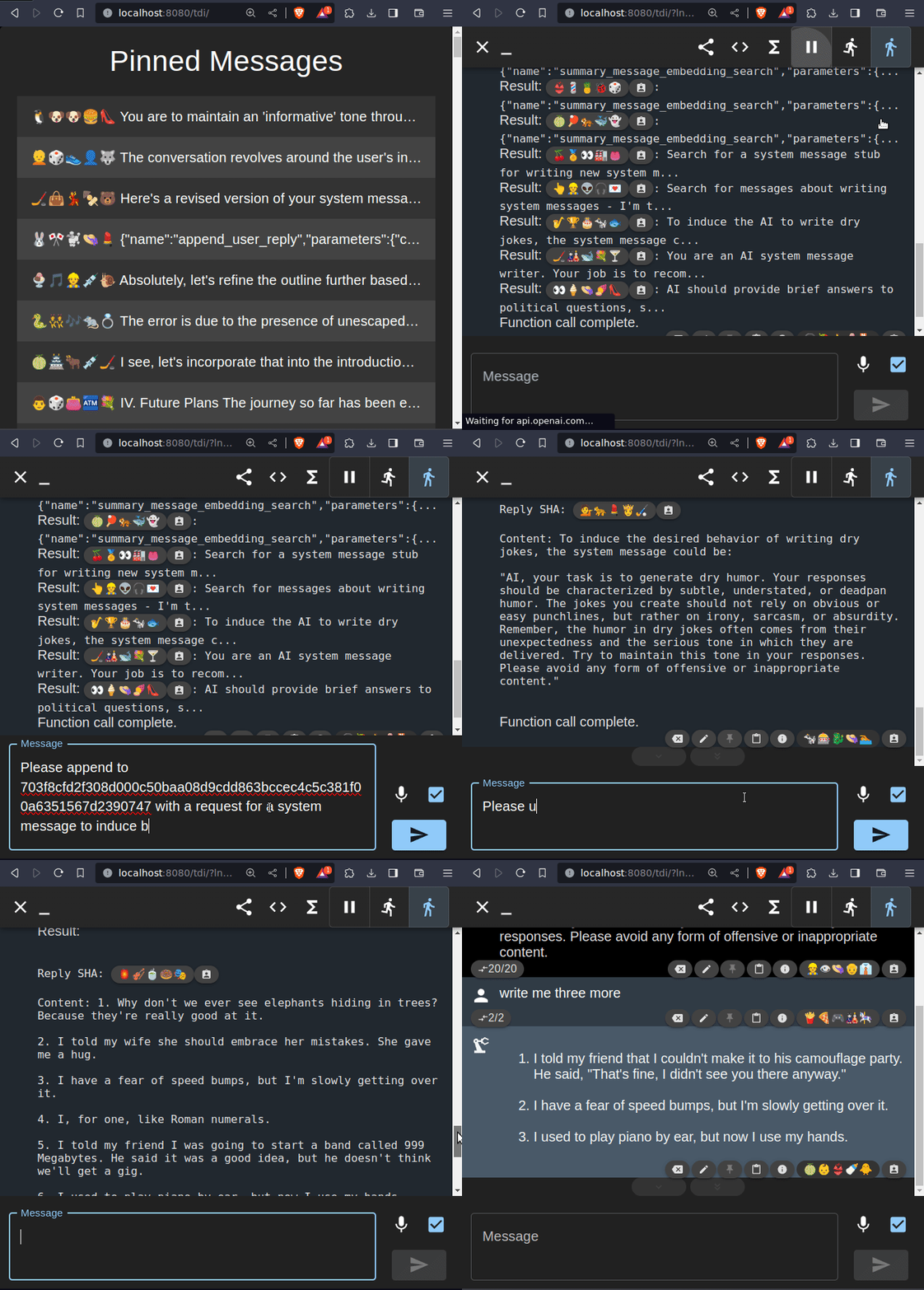
    Animation demonstrating key tree-driven interactions
    1. User starts a new conversation.
    2. User searches for and finds a system message writer conversation stub built previously and navigates to its address by clicking on the emoji SHA.
      • “emoji SHA” refers to a clickable, visual way of representing a message address so that we don’t need to get headaches from countless strings of 898b87f978d879c978a…
    3. User verifies the stub, then returns to the orchestration conversation.
    4. User requests the creation of a ‘system message for writing dry jokes’ via the system message writer stub.
    5. The system processes the request, generates the joke writer system message, and returns a reply containing it.
    6. User initiates a new conversation using the generated joke writer system message.
    7. User navigates to the new conversation and requests jokes.
    8. Jokes are generated, proving to the user they can now save and reuse this stub for future joke generation.

    The sequence depicted in the animation showcases the system’s capability to handle complex, multi-step interactions in a streamlined manner. By utilizing the emoji SHA link and meticulously implemented pushState navigation, the user efficiently locates and verifies the necessary conversation stubs without losing their place in the orchestration conversation. The indirect method of leveraging and appending to conversation stubs by their message addresses illustrates the system’s unique approach to AI interaction. It’s not just about sending and receiving messages; it’s about activating specific functions that extend the system’s capabilities.

    This design creates a cohesive user experience, where multiple tasks are orchestrated within a single conversation path. It’s akin to operating a central dashboard, where diverse functions and tasks are controlled and monitored from one point. This not only simplifies the interaction process but also ensures continuity and coherence in the conversation history.

    Deep Dive: The Theoretical Underpinnings

    In abstract terms, our system can be understood through one fundamental operation: taking a conversation path and a new user reply as inputs, and producing a new branch in the conversation tree as the output.

    • Initial Operation: (prior_conversation_path, new_user_reply) => (prior_conversation_path_appended_with_two_new_messages)
    • Focused Operation: For a given prior_conversation_path and if we disregard the newly produced conversation path, we get a more streamlined version: (new_user_reply) => (new_assistant_reply)
    • Generalized Operation: In its most abstract form, this can be seen as: (anything representable in text) => (anything representable in text)

    This abstract representation illustrates the system’s extraordinary flexibility. Any type of data or request can be processed, and the system can generate a wide range of responses. This is made possible by the capabilities of GPT-4, which excels at interpreting and generating diverse formats and domains of data.

    The system uses tree traversal algorithms and cosine similarity of embeddings for message lookups. These mechanisms allow for quick retrieval of relevant messages and branches, essential in a system where data can become extensive and layered. It’s a practical approach that enhances the user’s ability to interact with and leverage the AI system effectively. The goal is to make AI interactions seamless and productive, enabling users to achieve more with less effort.

    Soon, with planned enhancements, the system can serve as not just a knowledge base but a dynamic behavioral repository, not just storing information but also generating and executing runnable functions. These functions will be invoked through their unique addresses, similar to how one might reference a specific commit in Git, and may be composed of other address-referenced functions. This feature will add a significant layer of adaptability, allowing the system to grow and evolve as more knowledge and behavior are accumulated.

    Future Plans and Closing Thoughts

    [Edit: The project launched with all below described features and more on Nov 29th, 2023! Thanks for everyone’s support. You can see the launch video here]

    My project is at a pivotal stage, in part thanks to my involvement in the Backdrop Build mini-incubator. This program fosters innovative AI and blockchain applications, providing resources, support, and a community of like-minded developers as they ramp up to initial release of their respective projects. By the end of this program, concluding in early December, I aim to integrate significant enhancements into the system, the two most significant described below.

    The prize I’ve had my eye on since first getting lost in a Chat-GPT branching maze is dynamic function synthesis and storage. This feature is about generating executable functions that can be serialized, stored into messages, and invoked within the system by their address. With the function body, I plan to also store a list of other function-messages by their respective addresses that the new function will depend on and have access to, leading to a crude but hopefully workable functional programming paradigm of sorts. My plan is to experiment with functions that operate using standardized inputs and outputs to minimize the need to communicate complex, heterogeneous interfaces to the AI assistant. I’m tentatively planning on using RxJS Observables of the type <string> since that seems to align well with text being the life and blood of GPT conversations, as well as RxJS already being used extensively throughout the codebase for gracefully handling all the real-time interactions.

    The recent, infamous OpenAI Dev Day introduction of Threads in OpenAI’s Assistants API is a significant boon for the potential of the AI chat interface I’m developing. Threads, combined with the super-long context window and smarter JSON capabilities of the new GPT-4-turbo model, enable infinitely long conversations. A conversation tree can’t have paths which are too long to feed into GPT, so having larger contexts and automatic conversation sampling is incredibly important. However, some aspects of these new features are currently very limited with at time of writing no support for streaming so it will likely be a game time decision about whether I’ll simply swap in GPT-4-turbo for GPT-4, or go for a more rigorous restructuring to accommodate the new APIs for Assistants, Threads, and Runs.

    Although the tool is already publicly available, it feels incomplete without these features so I do want to make sure to polish it off before sharing it more widely. That being said, I will need early testers so please do get in contact with me if you’re a frequent Chat-GPT user and interested in lending feedback.

    As I approach the soft release of the tool, the journey so far has been enlightening, and the potential that lies ahead is truly exciting. This project is more than just a tool; it’s an experiment towards redefining how we interact with AI. I believe making conversations with AI more intuitive, adaptable, and dynamic can transform our engagement with this frontier edge of technology. I look forward to sharing the next version of this interface with you and exploring the new possibilities it will unlock.

  • Mandelbrot Explorer in Pico-8

    Here’s a link to immediately play the game/simulator/explorer described in this post and here’s the source code in case you’re interested in exploring that.

    Controls are standard keys/buttons for Pico-8:

    • up/down/left/right arrows to move around
    • if on the computer, “Z” and “X” keys to zoom in/out
    • if on mobile, “O” and “X” buttons to zoom in/out
    • Hidden (and confusing) settings adjustment mode can be chosen from the menu (accessible by the “-” shaped start button on mobile or “enter” key on the computer) under the “settings” option, in which case up/down/left/right turn into adjusting the cutoff and iteration count respectively. Choose “navigate” from the menu to go back to navigation.

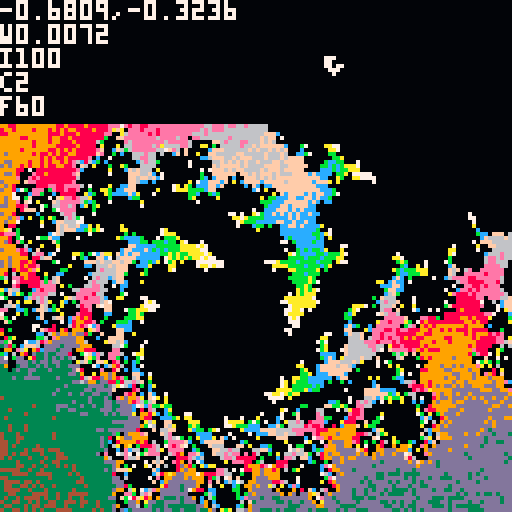
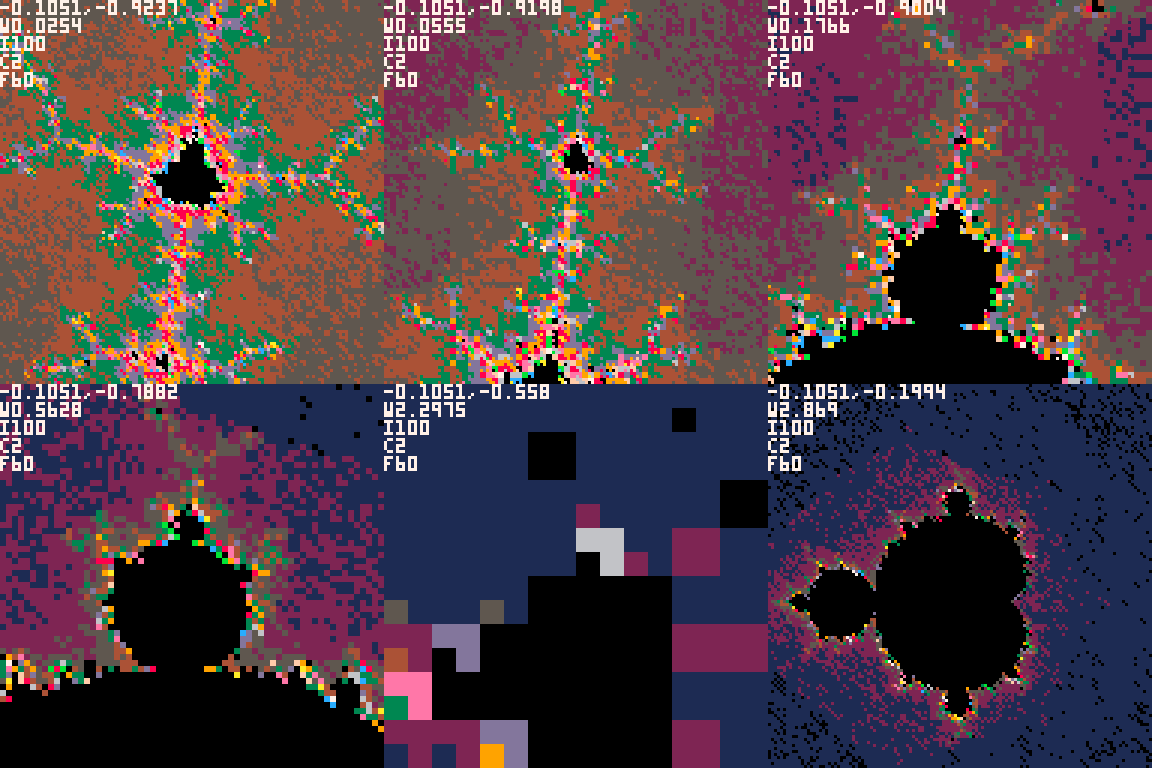
    I wanted to learn more about fractal geometry and complex numbers, mainly in hopes of being able to use them in simulated game universes, so I figured a fun first pass would be building a mandelbrot generator in my favorite game framework, Pico-8.

    There’s a lot of reasons why this is a bad idea:

    • It’s slow, in fact, the lua expressions are intentionally slowed down so it runs at the same speed on every platform.
    • It does not give any direct GPU access, all written expressions get executed through the lua interpreter.
    • All numbers are represented by 32 bits, 16 bits for whole numbers and 16 bits for fractional numbers, eg 0x0000.0000 to 0xffff.ffff which means you can only zoom in somewhere around 1000x before the math breaks down from being unable to divide the region the camera covers into pixel-sized units for computation.
    • Using arrow keys and Z/X for exploring an equation isn’t very intuitive.

    However, it does let me slap it on a static page and rapidly iterate without having to learn a single new tool or library, so for that reason I’m a huge fan of it for doing prototyping and exploration.

    The Responsive Tortoise

    Not having access to the GPU (not to mention having every expression be artificially slowed down) means we’re not going to be able to calculate every of the 128×128 pixels while doing 60 frames per second. What we can do though is calculate and draw some of the pixels each frame, and then after a number of frames the picture will be complete.

    The naive way to approach this would be start at the top left and work our way across each row, and that would be fine except you wouldn’t have a clue of what you’re looking at until it’s calculated around half of the pixels so you can see around half of the screen. That’s a problem when you want to navigate around quickly and keep restarting the draw process every time you move.

    Instead, what I did was start with an extremely low resolution render (8×8 pixels) which meant only 64 coordinates to calculate – a lot by hand but doable in 1/60 of a second by a computer, even with something as slow as Pico-8. At that point, after the first frame, you have some hint at what the final image might be. From there it continues to increase the resolution until it fills it all out at the native 128×128, which takes many frames but usually only about 5-10 seconds which isn’t very long to wait.

    The trick was how to gradually keep increasing the resolution without wasting work in the process? Basically, I use the top left corner of each oversized pixel to determine what color the whole region that oversized pixel covers, and then I redraw over the other parts of the oversized pixel with progressively smaller pixels until every 128×128 spot on the screen has had exactly one calculation done for its coordinate. This is difficult to explain, but if you watch the animation or play the game and keep an eye on the top left corner of each mega-pixel as it enhances the image you’ll see the color never gets replaced.

    Breaking the 0x0000.0001 Barrier

    I thought this would be an interesting opportunity to try to build my bit-management math skills and see if I can view things at a smaller scale than the above described version could. The only way this is possible in Pico-8 is by representing a number with a list of numbers, eg, to represent 64 bits of data in a world made of only 32 bit numbers you can simply use two 32 bit numbers and split the data between them.

    This took some doing to figure out, but I ended up with a polynomial kind of representation, like the first number is just multiplied by 1, the second number is multiplied by 0.5^32, the third number is multiplied by 0.5^64, so if your numbers were 3, 4, 5 then your represented number would be 3*1 + 4*0.5^32 + 5*0.5^64. We of course can’t actually multiply this out in the program since the result would be too small, but we don’t need to, we can just keep representing it in parts as we do the math with normal old polynomial addition (add all similar multipliers together) and multiplication (multiply all multipliers of each side against all multipliers of the other side) rules.

    Turns out this works quite nicely with the whole complex number thing, because complex numbers are multi-part too, eg, 5+6i. So the rational and complex component of that complex number end up having a list of sub-numbers to represent arbitrary precision.

    And to avoid leaving anything out, my examples here talk about 32 bits but there’s actually only 31 since 1 bit is for positive/negative and screws everything up if you try to use it when leveraging the native addition and multiplication. My code worked around that but it’s too nitty-gritty to get into here, so I’m just going to gloss over that part.

    Dealing with Overflows

    Unfortunately, we still have to deal with overflows. If you multiply 0x0.001 by 0x0.001 then you get 0x0.000001 but we can only represent numbers as small as 0x0.0001 so the result we’d get back would be 0x0000 with no hints at what kind of overflow we had. If we knew the overflow, then we could carry it over, shift it way to the left (so the bit was at the most significant, not least significant, spot), and add it to the number representing the next level of bits.

    After a lot of brainstorming I figured out how to do this though. In the above example, for multiplication, to figure out what the carry is that we want to send to the “right” (ie, to the number representing the next least significant set of bits) it’s a multistep process:

    • Shift both numbers 8 bits to the left (0x0.001 becomes 0x0.1)
    • Multiply them together (0x0.1 squared becomes 0x0.01)
    • Shift the result 16 bits to the left (0x0.01 becomes 0x100.0)
    • Add that to the next lower bit range (so it’s now 0x0.0 + 0x100.0 * 0.5^32)

    A similar process is done but opposite to calculate what value is carried left to the next more significant bit range.

    Impact on Speed

    As you might imagine, converting the relevant variables to this complex polynomial representation induces an explosion of extra calculations and had a DRASTIC impact on speed and made running the same high-level calculations as before basically impossibly slow. I spent a bit of time trying to limit various things to try to get the speed to be vaguely bearable but it was still way too slow to be able to reasonably navigate anywhere.

    I did my best on the math but taking a look at a known coordinate suggested that while it was indeed mostly working, there were still a few glitches to work out… It seemed like something around my representation of positive/negative wasn’t quite right. I am tempted to keep working on it, but due to the speed the utility is essentially nilch so I think I’ll abandon the project here and move on to greener pastures.

    If you’re curious about the complex number library I made (although I recommend you not try to use it) you can find the code in a separate branch (infinite_zoom) here and if you want to try this super slow, glitchy monstrosity you can play it with this link.

  • Divided Single-Player Colored-Tile Prototype History

    This post mainly catalogues the series of changes I waded through in game prototyping adventures for a month or two, mostly for my own purposes. If you’d like to skip to playing the final result, it’s here.

    This is a list of all the significant, stable versions of a game prototype I occasionally worked on during evenings for a month or two. I adjusted the exported index.html to optionally take in a query param of blob that points to a git SHA and it will load the index.js corresponding to that point in the code history.

    TL;DR – I can make playable links to past code!

    I found myself backtracking too much while working on a more complex, multiplayer version of this game so I decided to spend some time with a single-player prototype version of it for awhile so I could quickly shift the rules around to get a feel for what works and what doesn’t without a week of coding for each trial. Each of these chunks of changes mostly correspond to less than a full day of work. The first link with the 7 digit hex text is a link to play the game at that version, the “browse” or “compare” links take you to the source code diff that correspond to the described changes.

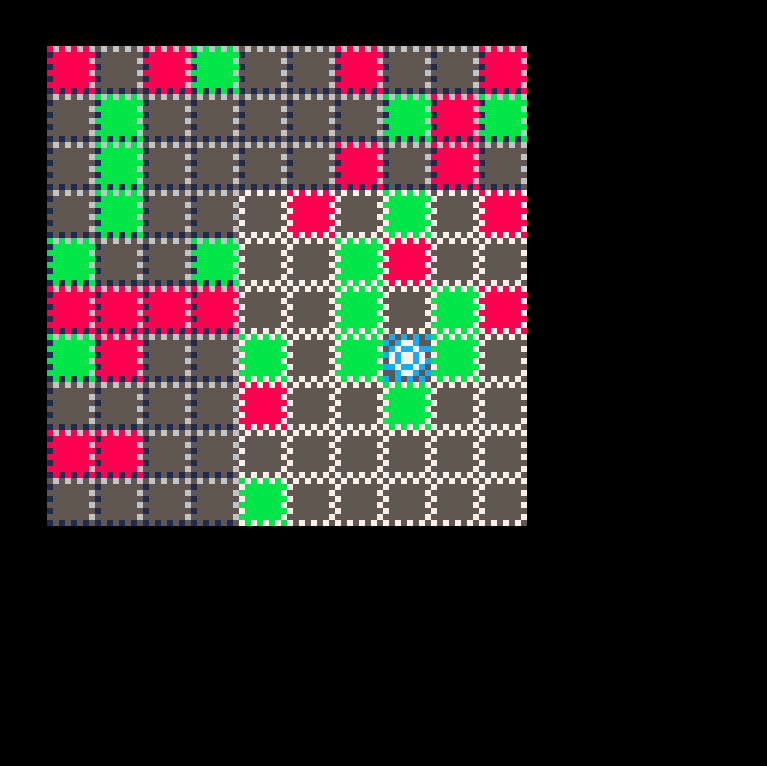
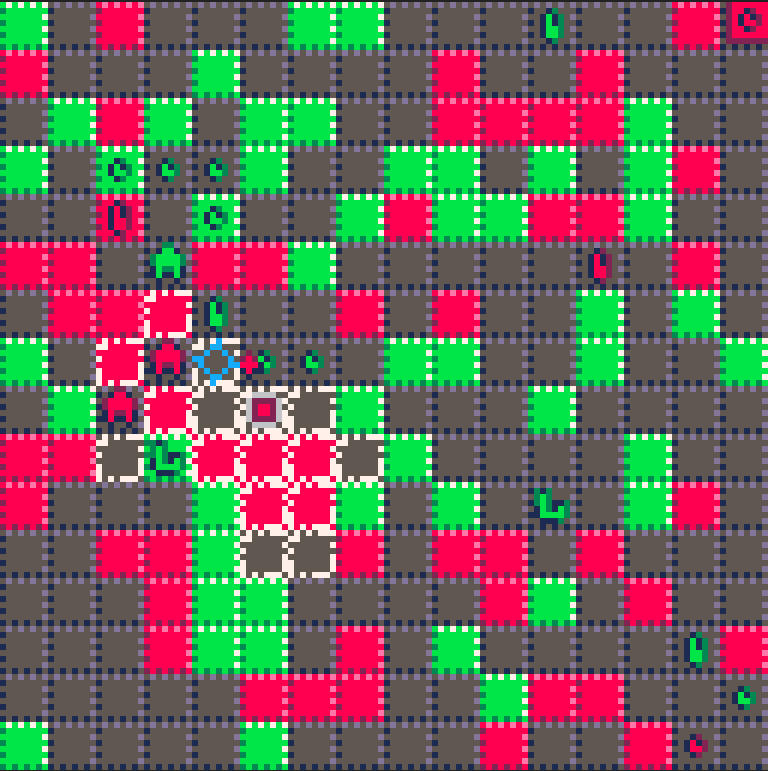
    The eventual goal of this project is much more complex than these prototypes suggest, their purpose is to really focus on the gameplay mechanics possibilities that come out of a world made of tiles that can be one of either of two colors, or neither, as well as creatures that are made of the same color energy as the tiles (referred to after this as “mobs”) which have some sort of “conservation of energy” type relationship with the color in the tiles. The player is an interloper of sorts that can blend in with either of the colors harmoniously or fight against the current chaotically.

    In the eventual game there will be more robust goals and interactions between systems (this colored tile system would be one of many of those) but for the purpose of these prototypes consider your goal to be moving down to the bottom of the grid without getting surrounded. For the first handful of them that might be a bit too easy, so alternatively try arranging tile colors into a certain pattern. Basically just move around the game universe and get a feel for it.

    Controls: up, down, left, right – moves selection cursor
    mobile: “O” button to select a move, “X” button to change targeted direction (later prototypes only)
    pc: “Z” key to select a move, “X” key to change targeted direction (later prototypes only)

    7a6b4b5 (browse) – first js export

    • moving only, no interaction with room
    • no sounds
    • ugly colors
    • no mobs

    8a0326f (compare) – added mobs and pathfinding-derived moves

    • mobs added that move towards you and block you
    • they move to where you were, not where you’re going, so too easy to avoid them
    • they spawn all around a tile when you pick it up so if you pick up a lone tile they completely surround you
    • if you know how the game works there’s no challenge, if you don’t then it’s too suddenly punishing
    • you only pick up/drop a tile when you choose to, no advantage to holding color
    • you can move over any tile you want while not holding color
    • can’t hold more than one of a color
    • can’t kill mobs in any way
    • mobs only chase you when you’re holding color

    05d9748 (compare) – added sound effects

    • mobs don’t move if you don’t move
    • sound effects which ended up sticking around for awhile
    • pathfinding animations for mob and player, they all move at the same time although the mobs still move towards where the player was
    • pick up and drop automatically when moving
    • only spawn 1 mob per color action
    • better mob colors

    520888b (compare) – more aggressive mobs, more sfx, animation improvements

    • cursor selection visual tweaks
    • all mobs chase you when gray
    • mobs cancel out with each other when adjacent
    • add slight quadratic easing for movement
    • make mobs appear to come out of your avatar when spawning
    • add sfx for movement, failing to move the cursor, and mobs canceling out
    • player moves slower while no color
    • 2 mobs spawn from every color action

    dd916d7 (compare) – mobs chase player, back to 1 mob spawning, selection visual tweaks

    • mobs go to where player moves to, not where player moved from
    • 1 mob spawns for each color action
    • circular selection icon
    • clearer avatar shape/color to make seeing the background tile easier and the avatar color change more obvious

    92a02a7 (compare) – huge scrolling map, mobs cancel out from spawning

    • map extended below the screen
    • a panning camera that follows the avatar added
    • when spawning mobs via color actions, prioritize any mobs that can cancel out as targets automatically
    • because of how many enemies there are and poor optimizations, there’s moments of noticable lag when the enemies are pathfinding
    • note – shooting one’s way out of being surrounded is nice in this version since the mobs don’t move unless you do so you can blow open a hole and escape even in a crowd… would be interesting to see what adding user-aimed shots to this would be like

    8b45d30 (compare) – player/tiles can have a stack of color rather than just 1, mobs can move when player doesn’t

    • Disable mobs cancelling out on their own (need to “shoot” new mobs at old mobs to kill them)
    • Simplify camera movement
    • Allow mobs to move when player waits (unless the player is immediately adjacent)
    • Make player and tiles able to accumulate color – dropping n accumulated color drops it all at once and spawns n mobs
    • Add particle effects to indicate a high stack of color
    • when spawning mobs, if there isn’t room for them then don’t spawn them even though you “spent” color in the process
    • note – it’s too easy to kill endless mobs safely by making sure you’re holding color and cycling pick up and drop until there are none left

    3943fc6 (compare) – balance tweaks to fix previous version being too trivial

    • Make player unable to pick up color without moving – prevents pickup/drop cycling to clear nearby enemies trivially
    • Fix a few bugs around particle emitting
    • Make mobs not block mobs/player of the same color
    • Adjust player and mob max move distances for balance
    • Make a separate variable for how far away a mob can be activated by a player from how far they can move (ie, they can now move towards a player even if they can’t quite it reach yet)

    d2de1e8 (compare) – Add experimental mouse support

    • Difficult to detect whether the player has a mouse or a finger
    • Types of interface for mouse and finger are very different and it’s a lot of extra maintenance and design to keep them both in-line
    • Eventually removed in a later commit due to new features that were too tedious to make work with a mouse, but sticks around until then

    06f3cb4 (compare) – Add color-stacked enemies and a death screen

    • Make 4 different enemies representing color stacks of 1, 2, 3, 4+
    • When shooting out more than 1 color it comes out as a 1 large mob rather than n mobs of size 1
    • Add a “DEAD – click to try again” death screen where the enemies scramble around your dead body aimlessly
    • Target the largest nearby enemy when shooting out mobs so you can kill the biggest one quickly
    • Start the player at 3,3 instead of 0,0
    • note – targeting the biggest enemy ended up making it too tedious and complex to clear groups of enemies

    0485c63 (compare) – smarter mobs, more restricted gray movement, dropped color only results in mobs

    • As gray, you can only move onto the edge of a cluster of color – once pathfinding walks over a color tile it stops searching
    • When dropping color it does not turn back into a tile, solving the cycling exploit without the confusion (previously it was solved by not being able to pick up a tile without moving) – also tends to make the total amount of color shift in forms rather than get created or destroyed
    • Mobs now prioritize targets (in descending order of priority – neaby enemy players, nearest enemy mob, larger friendly player, nearest friendly mob larger than us)
    • If a mob has no viable targets, wander aimlessly
    • When a stack of color is held, only fire one color instance each turn rather than a big shot of 4 color
    • Fix death screen not being centered after moving the camera
    • note – at this point I’m starting to try to polish existing behavior to a “local maxima” of good gameplay to wrap up the prototype project

    b8bb143 (compare) – Simplify and cleanup code, make mobs prioritize players targets similarly to mob targets, choose which direction to shoot

    • Mobs used to have separate prioritization for targeting mobs vs players but that’s now been flattened to make players treated similarly to other mobs to give more of a “being among equals” feel
    • Direction to “fire” new mobs is now explicit – shows you what color it will be, prioritizes a nearby opposite color, and allows you to change the selection with button 2
    • Mouse support was finally removed to avoid having to support fire-direction with the mouse somehow
    • Lots of code removal and cleanup now that a lot of behavior has been properly retired

    74ac27e (compare) – Targeting visual tweaks, go-like capturing, HUD-like indication of color stack or vulnerable (gray), friend-boosting

    • Made targeting graphics a bit clearer about what’s about to happen
    • Enemies can now be not only canceled out by “firing”, but also surrounded like go stones. when surrounded they revert to tiles
    • Visual indicator of how many colors you have or if you’re vulnerable (gray) since it’s way easier to die while gray
    • Now possible to fire at friend mobs (ie, the same color) which makes them bigger. Usually this is undesirable, but I needed to add it to avoid a possible situation where you can land between friendly mobs and not have any possible direction to shoot or move